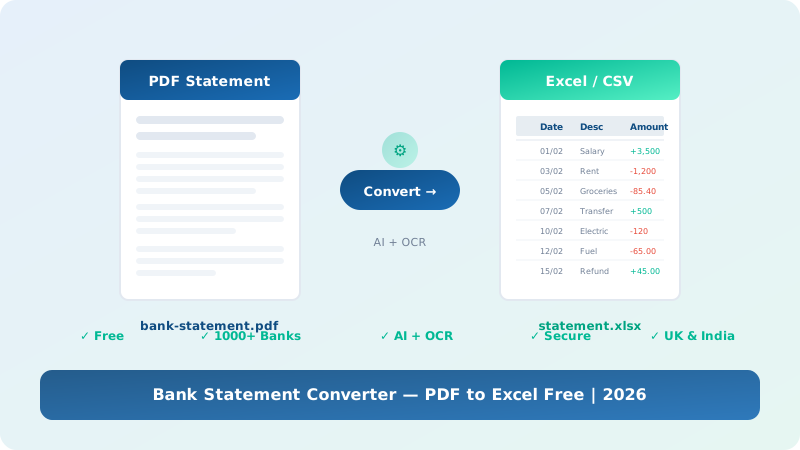
Easily convert PDF bank statements to Excel (XLS) and CSV format free. Our bank statement converter online uses advanced OCR and AI to process statements from 1,000+ banks worldwide — fast, secure, and accurate.
A bank statement converter is a specialised online tool designed to transform PDF bank statements into editable spreadsheet formats such as Excel (XLS) and CSV. Whether you need to convert bank statements to Excel for accounting, reconciliation, auditing, or personal financial analysis, a bank statement converter automates the data extraction process using OCR (Optical Character Recognition) and AI technology.
Instead of manually copying transaction data from PDF bank statements into spreadsheets — which is both time-consuming and error-prone — our bank statement converter free online tool automatically detects dates, descriptions, debits, credits, and running balances. It outputs a clean, structured Excel or CSV file that is ready for analysis in tools like Microsoft Excel, Google Sheets, QuickBooks, Xero, and Sage.
Our bank statement converter PDF to Excel solution works with statements from over 1,000 banks across the UK, India, the US, Canada, Australia, and many other countries. It handles both digitally generated PDFs and scanned paper statements through advanced bank statement converter OCR capabilities.
Three simple steps to convert PDF bank statements to Excel using our free tool
Drag and drop your PDF bank statement or click to browse. We accept statements from any bank.
Our bank statement converter AI and OCR engine automatically detects and extracts all transaction data.
Get your clean, formatted Excel or CSV file with all transactions organized in columns.
The best bank statement converter trusted by thousands of professionals
Your bank statements are encrypted using 256-bit SSL. Files are automatically deleted after processing. Fully GDPR compliant.
Trusted by thousands of accounting firms, legal practices, and financial institutions across the UK and India for accurate bank statement conversion.
Our AI-powered bank statement converter OCR achieves near-perfect accuracy. We continuously improve our algorithms for every bank format.
No signup required. Use our bank statement converter free tool anonymously — your privacy comes first.
From HSBC, Barclays, Lloyds, and NatWest in the UK to SBI, HDFC, ICICI, and Axis Bank in India — we support them all.
Upload your PDF and get your Excel or CSV file in seconds. No waiting, no queues. Convert bank statement PDF to Excel instantly.
Our bank statement converter works with all major banks across the UK and India
| Region | Major Banks Supported | Formats |
|---|---|---|
| United Kingdom | HSBC, Barclays, Lloyds, NatWest, Santander, Nationwide, Halifax, RBS, Metro Bank, Starling, Monzo, Revolut | PDF → Excel, CSV |
| India | SBI, HDFC Bank, ICICI Bank, Axis Bank, Kotak Mahindra, Punjab National Bank, Bank of Baroda, Canara Bank, Union Bank, IndusInd | PDF → Excel, CSV |
| United States | Chase, Bank of America, Wells Fargo, Citi, US Bank, PNC, Capital One, TD Bank | PDF → Excel, CSV |
| Canada | RBC, TD Canada Trust, BMO, Scotiabank, CIBC, National Bank | PDF → Excel, CSV |
| Australia | CommBank, Westpac, ANZ, NAB, Macquarie, Bendigo | PDF → Excel, CSV |
How our bank statement converter compares to alternatives
| Feature | Our Converter | Manual Copy-Paste | Desktop Software |
|---|---|---|---|
| Cost | Free (up to 10 pages/day) | Free (but time-consuming) | £50–£200/year |
| Speed | Instant (seconds) | 30–60 min per statement | Minutes |
| Accuracy | 99.5% AI + OCR | Prone to human error | 85–95% |
| Signup Required | No (anonymous available) | No | Yes |
| OCR for Scanned PDFs | Yes | No | Sometimes |
| Output Formats | Excel, CSV | Manual only | Varies |
Watch how to convert PDF bank statements to Excel in under 60 seconds
Choose the bank statement converter plan that fits your needs
Got questions about our bank statement converter? Find answers below.
We provide bespoke services for businesses needing custom parsing, bulk bank statement conversion, or API access. Serving clients across the UK, India, and worldwide.
📧 Contact Us